
Features
What Fluah does, from the first markup on a sheet to a signed, locked copy.
Markups
Draw your own, or work with the markups already in a file.

- Drawing tools19, from clouds to links
- From other PDF appsOpen as markups you can edit
- Markups listYour columns, filters and CSV
- PropertiesLine, fill, hatch, opacity and font
- Text markupsHighlight, underline and strikeout
- Match propertiesOne markup's look on others
- SnappingTo drawing lines and markups
- Arrays and groupsRows, columns, groups, rotation
- SnapshotsCopy lines and recolour them
- SpellingChecked as you type
- Saved in the PDFStandard PDF annotations
Speed
Fluah's release tests on 28 October 2026, medians of five launches, on a 16‑core desktop PC with a 300 Hz display.
0.57 sFirst page sharp
- 0 sDouble-click
- 0.29 sWindow open
- 0.41 sInterface loaded
- 0.57 s
- From launch to the first page, sharp, of 44 A1 CAD sheets, 51.6 MB.
- 0.61 s
- From launch to the first page, sharp, of six A0 sheets carrying 926 site photos, 284 MB.
- 17 to 28 ms
- From one page of the standard to the next, sharp.
- 3.3 ms
- Between frames while a sheet pans: every refresh of a 300 Hz display.
- Its own engine
- Fluah draws pages with its own PDF engine.
- Every core
- Drawing is spread over the cores Windows lets Fluah use.
File Explorer
A file's pages, layouts or picture in the preview pane, without opening an app.
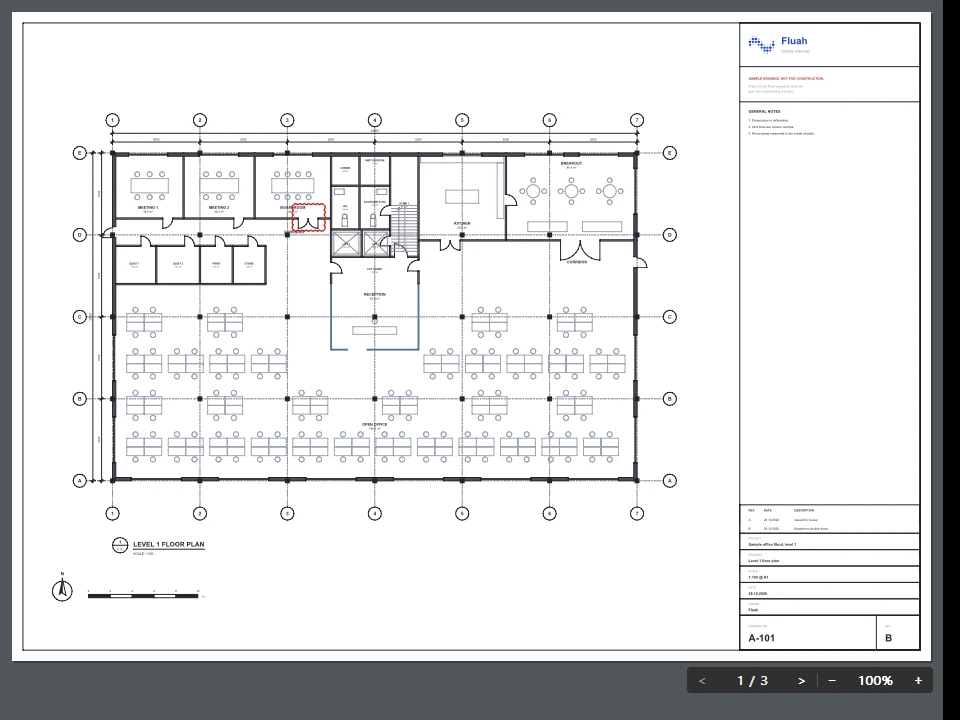
- .dwg
- .png
- .jpg
- .jpeg
- .jpe
- .jfif
- .heic
- .heif
- .hif
- .md
- .markdown
- PagesButtons and a typed page number
- Zoom and panWheel zoom, middle-button pan
- TextSelect and copy, labels included
- LinksGo to the page they name
- Pictures24 MP HEIC in 81 to 143 ms
- ThumbnailsFirst page as the file's icon
Estimate
Take off quantities and price them, in a mode of its own.

- FindOne boxed symbol counts them all
- StagesGrouped, shown or hidden
- Price listsYour prices, your markup
- Export.xlsx or .csv
- JobsSaved with their sheets
Compare
Two issues of a set, and the changes between them.

- Previous and currentDrop the old issue, swap in one click
- Changes on the sheetNumbered and listed by page
- Revision cloudsLeft out, on by default
Collaborate
One PDF, marked up by several people at once.

- ProjectsAdmin, Editor or View only
- Any PDFYour file stays where it is
- LiveMarkups, pointers and selections
- Hide someoneTheir pointer, never their markups
- Undo and offlineYour own edits, synced when back
- SealedAES-256-GCM before it leaves your PC
- Storage100 MB a project, 2 GB a company
- Turn it onSettings > Workspace > Modes
Signatures
Sign with your digital ID, one page or every page.
- Digital IDsA .pfx file, Windows' store or a new one
- Your signatureName, picture and logo, sealed
- UnlockLocks again after 30 minutes idle
- Sign in placeA 51 MB set in under a second
- Batch signOne place on every page
- CheckedChanges since signing shown
- Checked laterRevocation data for IDs from a certificate authority
- The formatPKCS #7, SHA-256, full chain
Security
Who can open a file, and what they can do with it.
- PasswordsAES-256, revision 6
- PermissionsSeven, each allowed or not
- Locked filesTheir permissions kept
- RedactRemoved on every layer
- Stamps from other appsTheir scripts never run
- Your own FluahOnly it receives your files
PDF 2.0
Fluah works to PDF 2.0, the international standard for PDF files (ISO 32000-2).
- Opens and savesPDF 2.0 and earlier versions
- LayersOff in the file stays off
- SignaturesChecked against the version they signed
Measure
Measurements read in the scale of the page they are on.
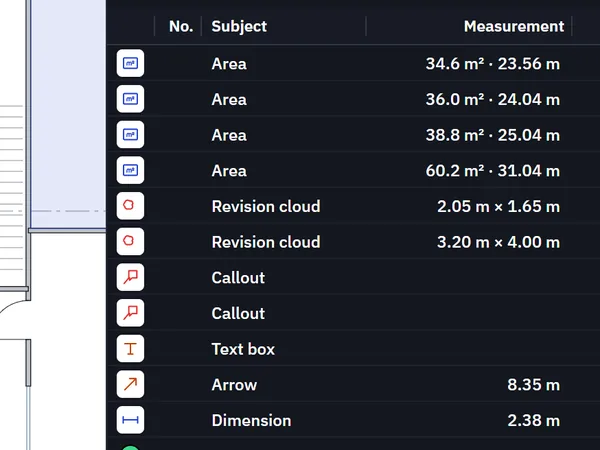
- ToolsEight, from dimension to count
- ScalesPer page, or calibrated
- CountsNumbered across the set
- LegendsMetric or imperial
Stamps
Ready-made stamps, and stamps you make yourself.
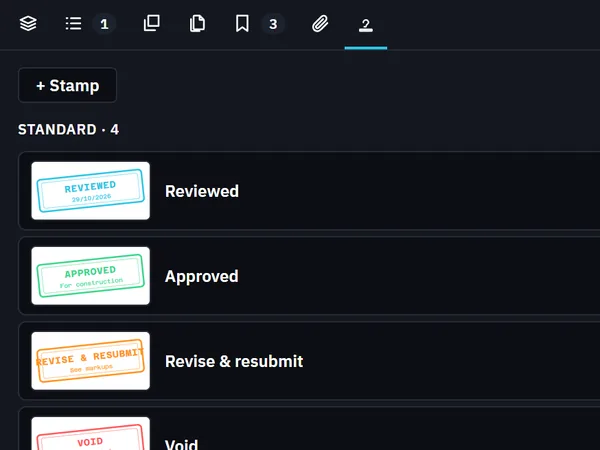
- Standard stampsReviewed, Approved, Revise and resubmit, Void
- Your ownFrom words, a picture or a sheet
- FieldsYour name and today's date
- ImportsOther apps' stamps and tool chests
Pages, layers and search
Find your way round a set of any size.
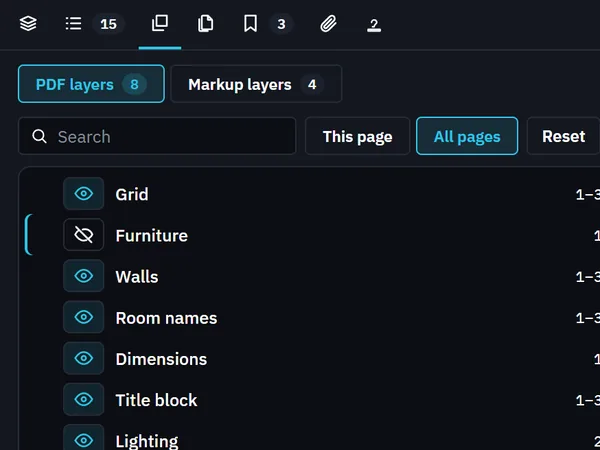
- LayersPDF and markup layers
- SearchText, properties, fields and markups
- PagesMove or copy between files
- Visual searchFind a symbol by its picture
- Bookmarks and linksTheir target in the middle of the view
- Select textShift and drag
- Missing fontsDrawn with your PC's own copy
Your layout
Every bar, button and key can be moved, hidden or changed.
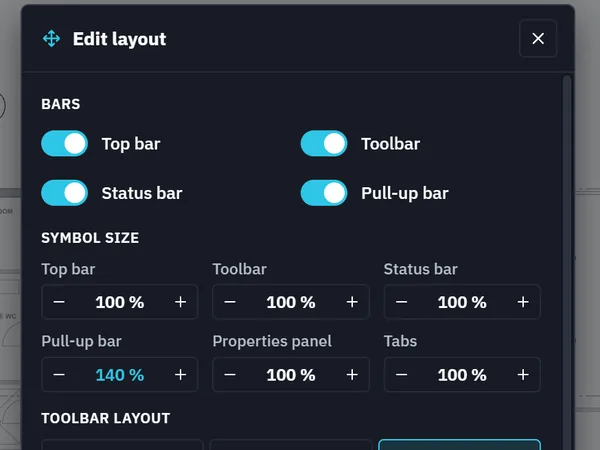
- Edit layoutMove or hide any button
- Symbol size70 to 200 percent
- KeysAny key, two in a row too
- ConfigurationsThree slots in your Fluah account
- Settings searchOne box finds any setting
- LanguageEnglish, Deutsch, Français, Español
File tools
Tools that change the file itself.
- Reduce file size54 MB of drawings to 27 MB
- Searchable scansOCR text to search and copy
- FlattenMarkups drawn into a copy
- Save and auto saveInto the file you opened
- RecoveryUnsaved markups offered back
Forms and printing
Fill in a form, then print it the way you want it.
- Form fieldsAny tool, Tab to the next
- Certified formsCertification kept
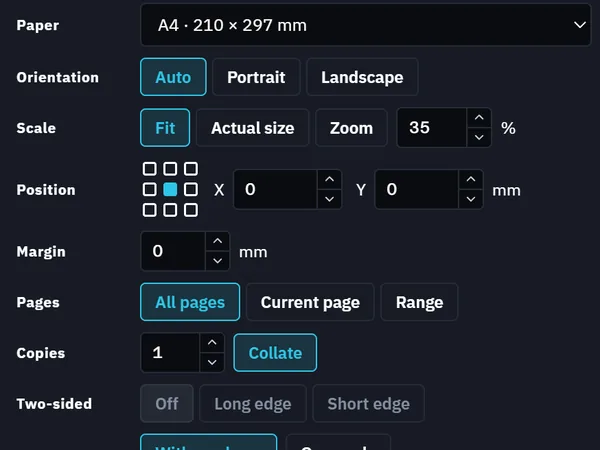
- PrintLive preview, kept per printer
Views and tabs
How sheets look and how files open.
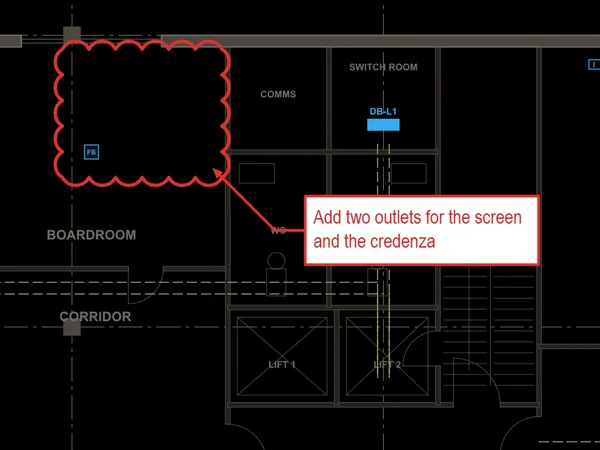
- Dark modeThe file is not changed
- Split viewSide by side, tabs to any screen
- Default PDF appFiles join one window as tabs
Get Fluah for Windows
Version 1.0.30, released 2 November 2026, for Windows 10 and 11, 64‑bit.