A PDF app for construction, architectural, engineering, electrical and structural drawings

For Windows 10 and 11. Mark up a set, count and price it, and compare it with the last issue, with every bar, button and key where you want it.

Fluah with the sample floor plan at 100 %: meeting rooms 1 and 2 and the boardroom measured as areas, red revision clouds and callouts at the boardroom door and the print room, a corridor width of 2.38 m and numbered desk counts, beside the markups list with each markup's subject and measurement.

The sample floor plan, marked up, with its markups list.

Open PDFs fast

Fluah draws every page with its own PDF engine, spread across every core of your PC.

0.57 sFirst page sharp

  1. 0 sDouble-click

Other PDF apps

4.81 sFirst page sharp

  1. 0 sDouble-click

* Typical results from internal testing on in-house hardware. Actual performance may vary with your system, files and settings.

Markups you can edit, wherever they came from

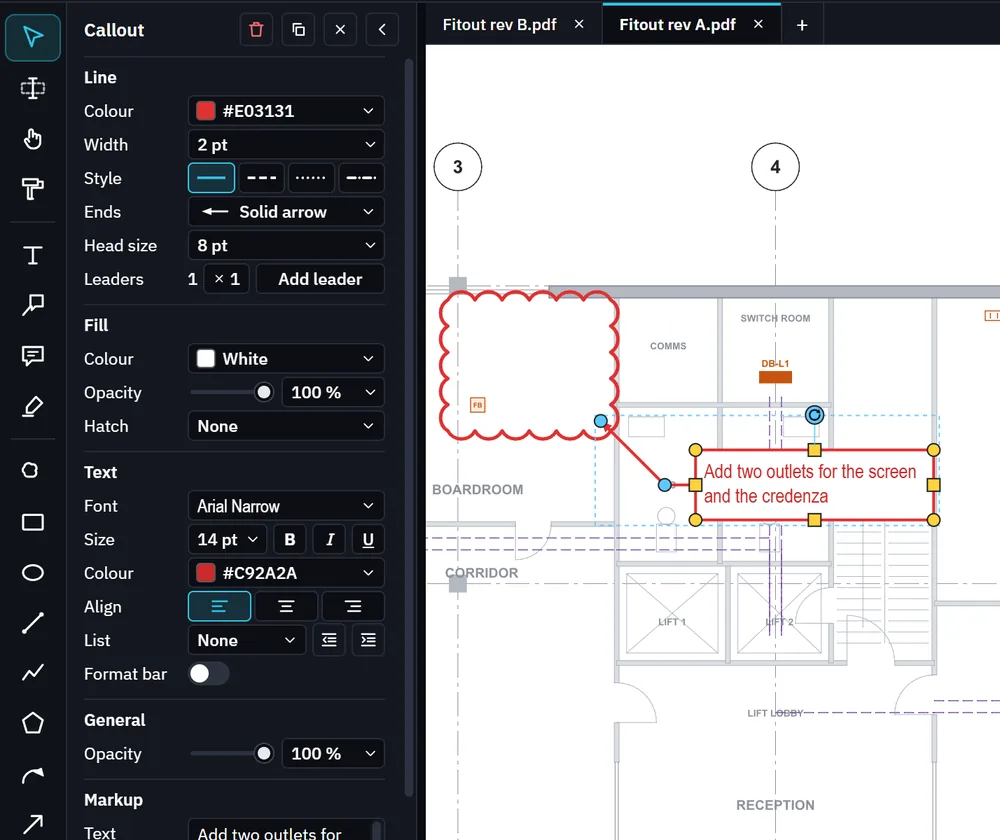
Markups made in other PDF apps open in Fluah as markups you can select, change and save back into the file, clouds and measurements included. Each one has its line, fill, text and layout in one panel.

A callout selected on the sample power layout, beside its revision cloud at the boardroom, with the properties panel showing its line colour, width, style and arrow end, its white fill, and its font, size and text colour.
A callout and its properties, on the sample power layout.

Markup and measuring tools

  • Revision cloud
  • Cloud+
  • Callout
  • Text box
  • Note
  • Highlight
  • Pen
  • Rectangle
  • Ellipse
  • Line
  • Polyline
  • Polygon
  • Arrow
  • Arc arrow
  • Dimension
  • Area
  • Area (polygon)
  • Perimeter
  • Angle
  • Radius
  • Count
  • Stamp
  • Picture
  • Snapshot

Compare two issues of a set

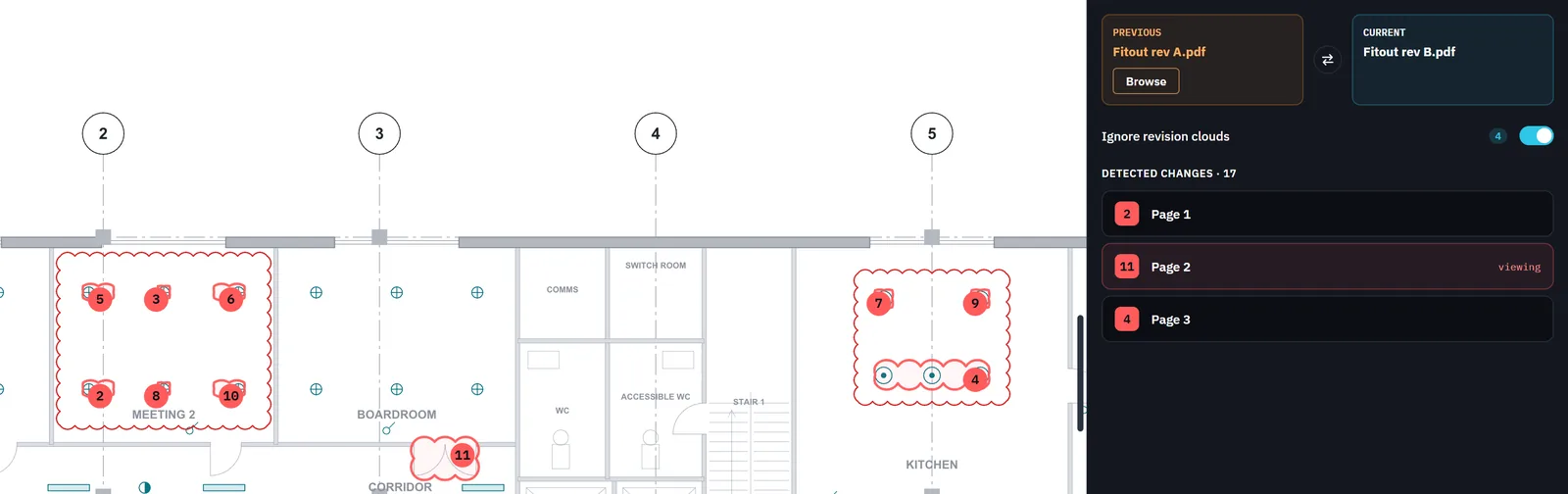
Open the new issue and drop the old one on Previous. Fluah numbers every change on every sheet and leaves out the revision clouds drawn round them.

Compare mode on the lighting layout at 120 %: numbered red markers on the light fittings that changed in meeting 2, at the boardroom door and in the kitchen, inside their revision clouds, and the panel with revision A as previous, revision B as current, 4 revision clouds ignored and 17 changes on pages 1, 2 and 3.
Revision B against revision A: 17 changes found, 4 revision clouds left out.
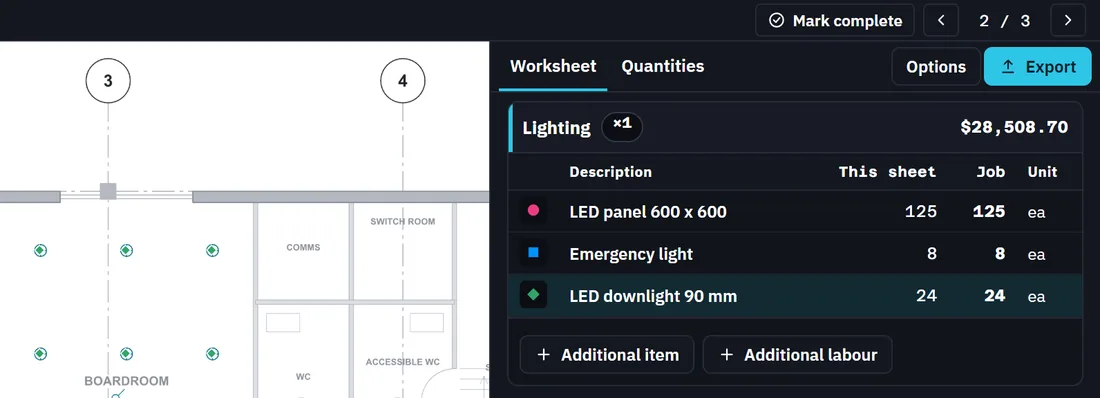
Estimate mode: counted downlights marked in green in meeting 2 and the boardroom on the lighting layout, beside the worksheet's Lighting stage, $28,508.70, with 125 LED panels, 8 emergency lights and 24 LED downlights.
125 LED panels, 8 emergency lights and 24 downlights, each counted from one boxed symbol.

Count and price a sheet

Box one symbol and Find counts every one like it, on one sheet or on all of them. Counts, lengths and areas go into a priced worksheet, stage by stage.

Mark up one PDF together

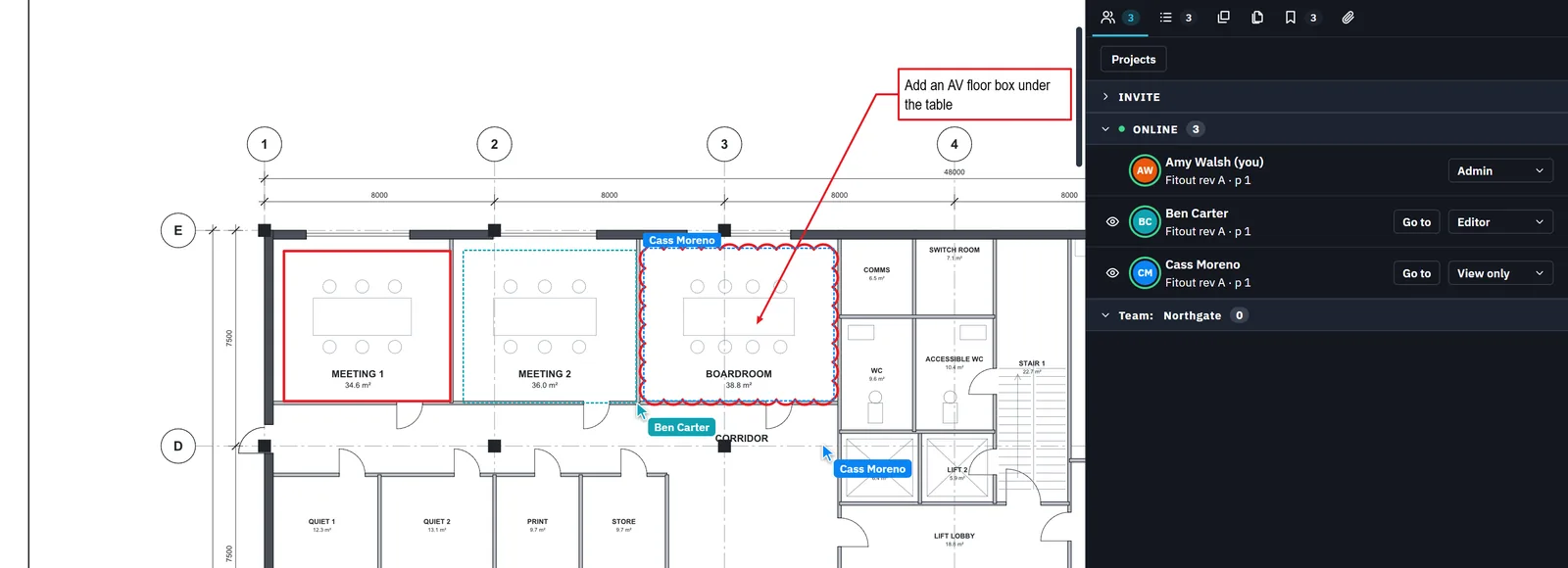
Make a project from any PDF and invite people as Admin, Editor or View only. Everyone in it sees each markup as it is made, with each person's pointer and name on the sheet.

Collaborate in Fluah on the sample floor plan: Ben Carter's named pointer drawing a box round meeting room 2, Cass Moreno's selection round the boardroom's revision cloud, and the Collaborate tab listing Amy Walsh, Admin, Ben Carter, Editor, and Cass Moreno, View only, online.
Ben Carter drawing round meeting room 2 and Cass Moreno's selection, live on Amy Walsh's screen.

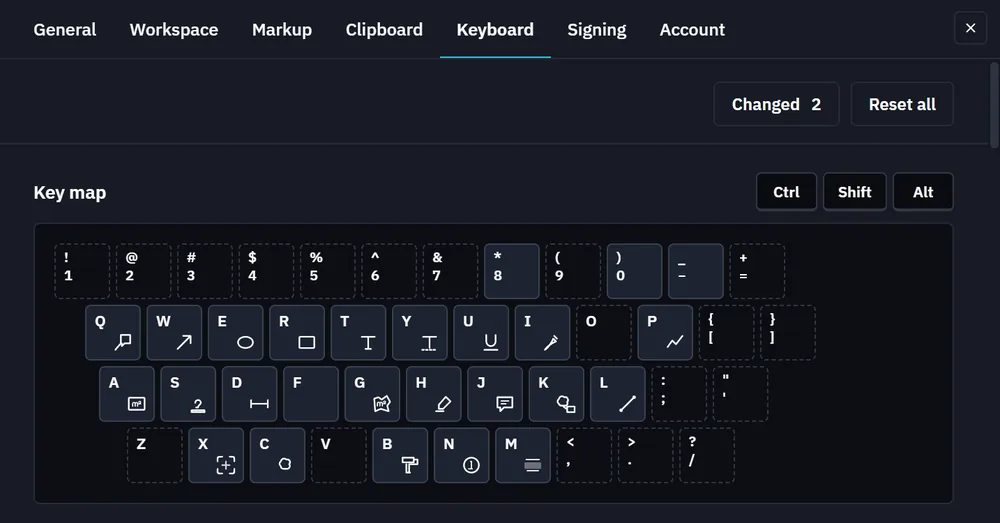
Put every tool where you want it

Customise the whole interface to suit you and the way you work.

Fluah with its tools in the palette layout: grouped in a grid at the top left of the window.
Fluah with its tools in a single row under the top bar.
Fluah with its tools in a single column down the left of the window.

Stamps, layers and dark mode

Stamps

Reviewed, Approved, Revise and resubmit, and Void, with your name and the date filled in. Make your own from words, a picture or part of a sheet.


A Reviewed stamp dated 28/10/2026 on the lighting layout, beside the Stamps panel with Reviewed, Approved, Revise and resubmit, and Void.

Layers

Turn the drawing's layers and your markup layers on and off, for one page or every page.

The Layers panel with Furniture switched off, beside meeting room 2, the print room and the store without their furniture.

Dark mode

A sheet in dark colours, markups and all. The file is not changed.

The power layout in dark mode at 100 %: rooms, outlets and the cable tray light on black, and a red revision cloud and callout at the boardroom.
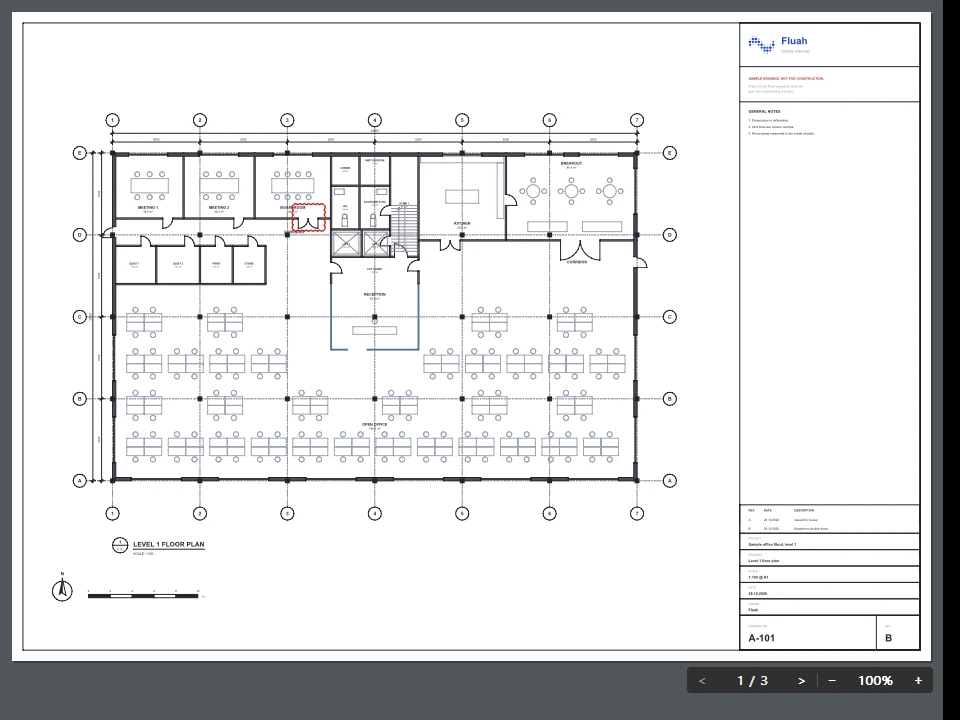
Fluah's preview pane showing sheet A-101, the Level 1 floor plan of the sample set, with the page buttons at 1 of 3 and the zoom at 100 % in the bar along its bottom.
The sample set in Fluah's preview pane, page 1 of 3.

File Explorer preview engine built from the ground up

The first time a large photo is shown, Fluah's own preview engine is up to seven times faster than the one built into Windows.

  • .pdf
  • .dwg
  • .png
  • .jpg
  • .jpeg
  • .jpe
  • .jfif
  • .heic
  • .heif
  • .hif
  • .md
  • .markdown

File Explorer also shows each PDF's first page as its icon, with the Fluah mark, in Medium icons and larger.

A 24-megapixel HEIC photo, shown in the preview pane for the first time

Fluah

81 to 143 ms

Windows

425 to 569 ms

Sign, lock and redact a set

  • Digital signatures

    Sign with your digital ID, and see if a signed file has changed since.

  • Batch sign

    Your signature in the same place on every page, in one go.

  • Passwords

    Lock a file with AES-256, then choose who may print, copy or edit it.

  • Redaction

    Text, linework and pictures taken out of the file, on every layer.

  • PDF 2.0

    Fluah works to PDF 2.0, the international standard for PDF files.

Get Fluah for Windows

Version 1.0.30, released 2 November 2026, for Windows 10 and 11, 64‑bit.